No algorithm
Nothing is ranked, boosted, or buried. You see everything, in order.
Private by default
Your circles are private by default; you choose what’s public. And you control who can see your profile.
Yours to keep
Your posts and chats stay put. Only fliks are built to vanish.
New · Video calls
Miss them? See them.
Call anyone in your circles face to face, or the whole crew at once. One tap from any chat.
Up to 12 friends. Group calls straight from a circle or group chat.
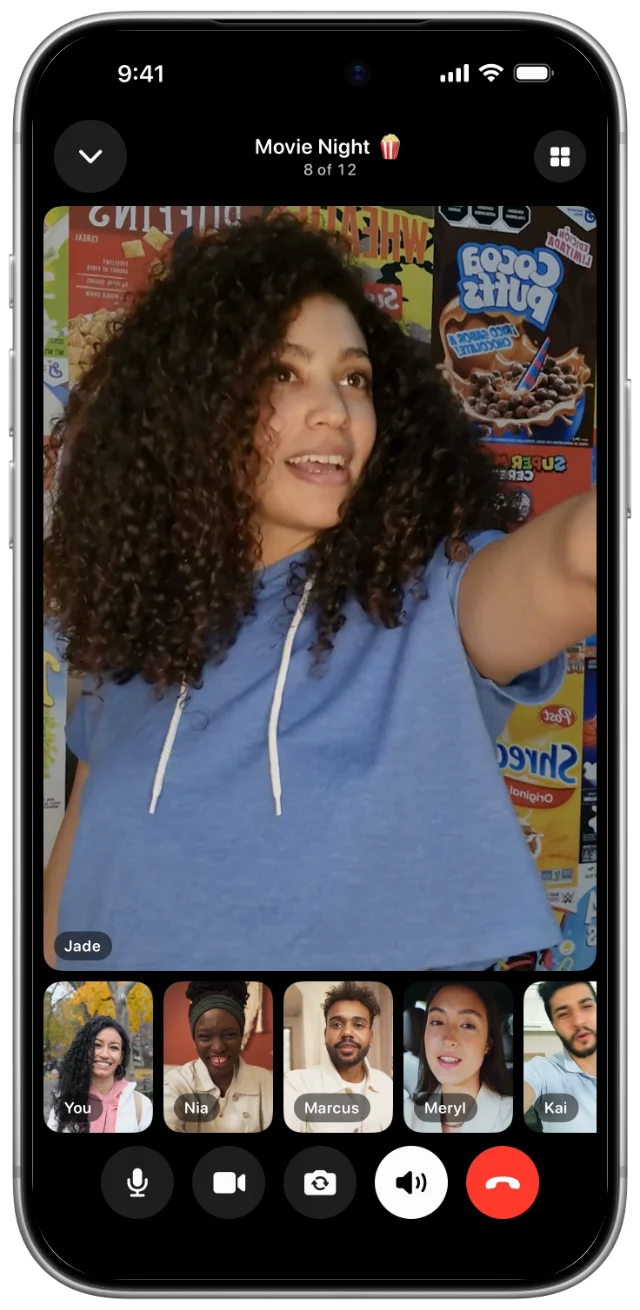
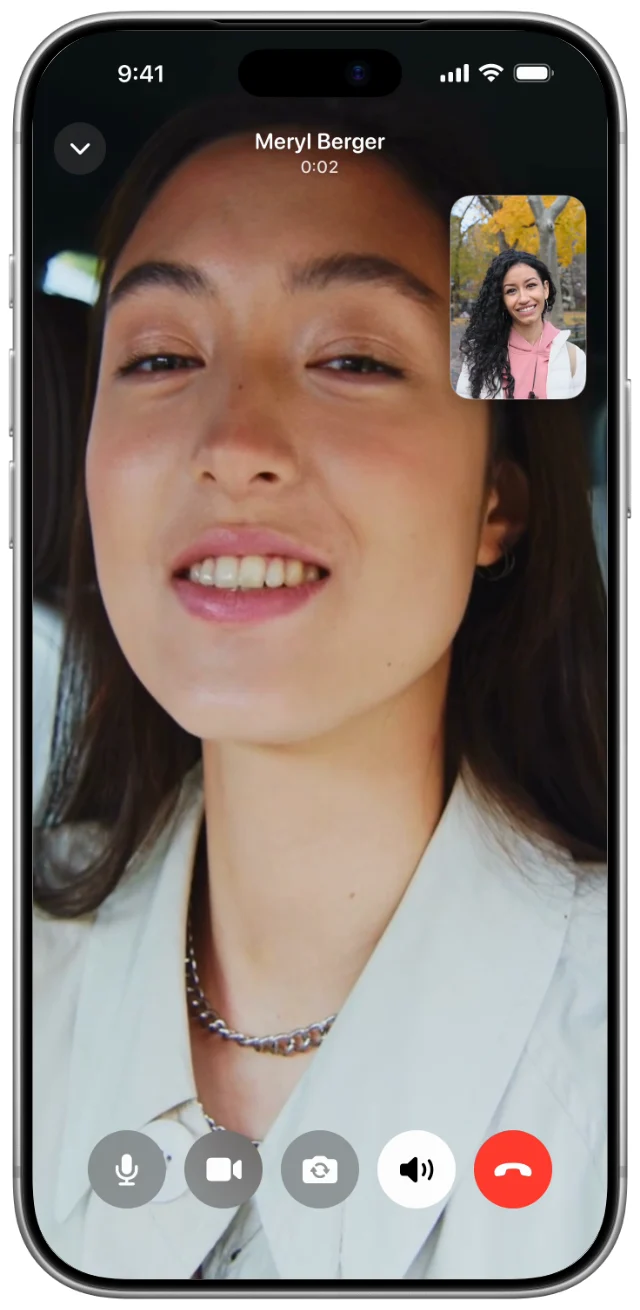
Keep chatting. Shrink the call and text someone else while you talk.
People you know. A one-on-one call needs a circle in common and messages both ways.
See it move
fomo™, in motion.
Real screens from the app. Tap the speaker for sound.
Explore
Only your circles. In order.
No algorithm deciding what you see. Just the latest from the circles you’re in, newest first, every time.
Nothing is ranked. Nothing boosted, nothing buried. You see everything.
Feed or grid. Scroll it, or take a whole day in at a glance.
Favorites up top. The handful you never want to miss, pinned first.


Circles
A world for every part of your life.
Family in one. Closest friends in another. Nothing crosses over unless you put it there.


- 01
Invite code or QR
How you get into a private circle. We never suggest circles or people to you.
- 02
A shared grid
Everything the circle posts in one place, sorted into folders when it piles up.
- 03
Its own everything
Its own chat, cover photo, color and emoji, so you know which world you’re in.
Camera
A studio in your pocket.
Shoot it, then make it yours. And your music keeps playing the whole time you record.


Here today.
Gone tomorrow.
Fliks
Send a flik and it’s gone once it’s been seen, and after 24 hours either way. Everything else you share is yours to keep.
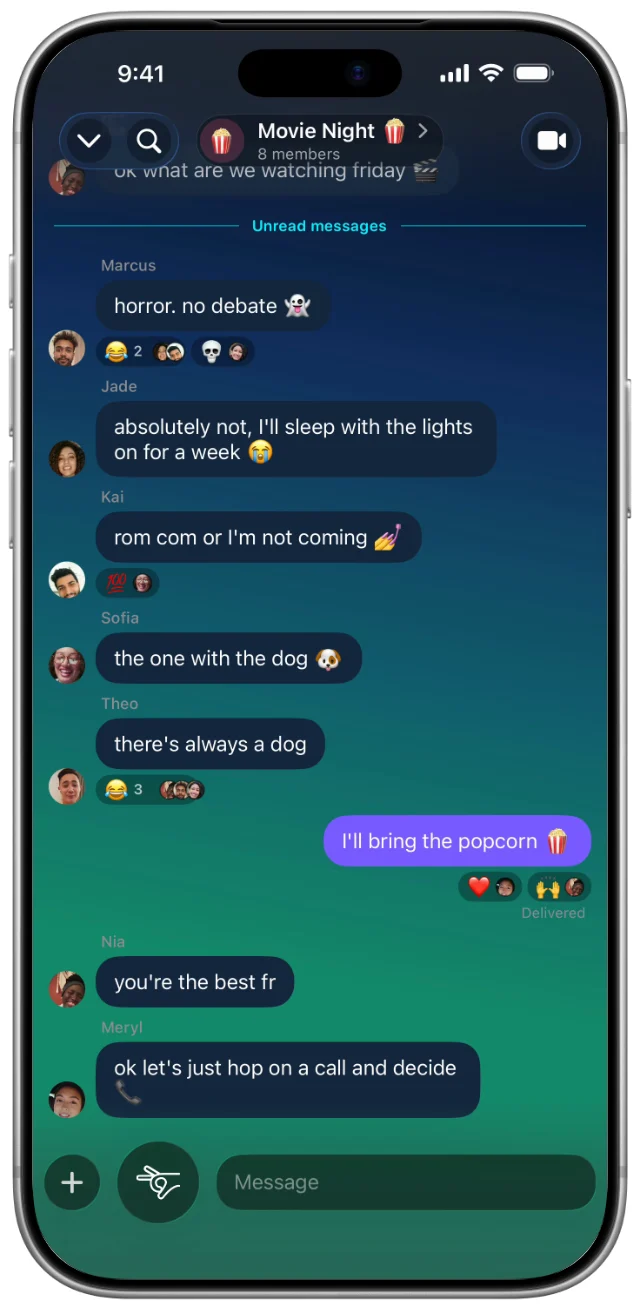
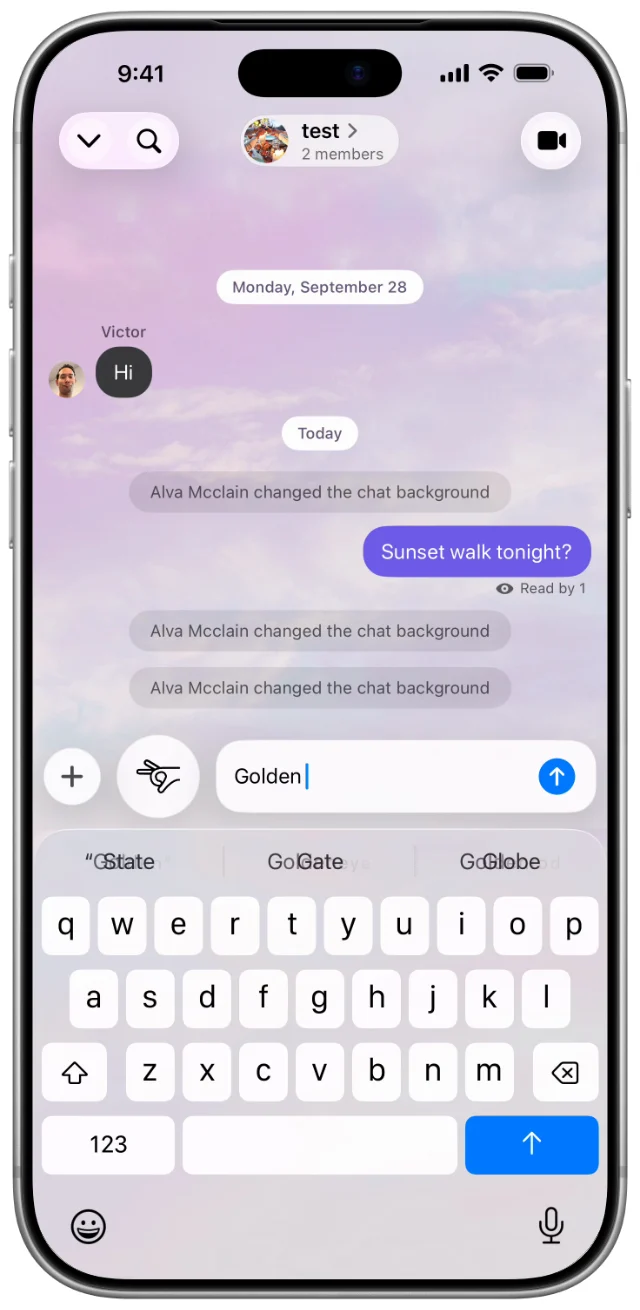
Make every chat yours.
85 themes to start with, then any color you can think of. Every chat ends up looking like the people in it.
Your messages stay. Chats don’t vanish after a day. Only fliks do.
Fix it after you send. Edit a sent message, or take it back entirely.
Privacy
Locked on your phone. Open only on theirs.
With fomo 8.5 or later, your direct messages, group chats and private circles can be end-to-end encrypted, and so can 1-on-1 calls in an encrypted chat. Group-chat and circle calls are end-to-end encrypted when encryption is available for that group or circle, and the call says so. fomo stores and delivers them, and its call servers carry calls, in a form that neither we nor our service providers can read. Public circles aren’t encrypted, because anyone can join them.
- 01
The keys live on your phones
Messages, posts and calls in encrypted chats and private circles are locked before they leave your phone and unlocked only on the devices of the people in that chat or circle. An encrypted chat, circle or call says so.
- 02
Devices are checked for you
In a 1-on-1 chat, fomo checks every device automatically and warns you if one joins that it can’t confirm. You can also compare a safety number or scan a code with the other person.
- 03
A PIN brings them with you
Protect a backup with a PIN or a 64-character recovery key, and your messages follow you to a new phone. We never see either one, so we can’t reset it for you.
What’s end-to-end encrypted?
When everyone involved is on fomo 8.5 or later, these can be end-to-end encrypted, and the app shows when they are:
- direct messages;
- group chats with up to 100 members;
- chats in private circles with up to 150 members, and the questions and options of polls in those chats;
- posts, Fliks and comments shared to private circles whose chat is encrypted, including scheduled posts;
- Fliks sent in an encrypted chat, and Thoughts shared with private circles;
- 1-on-1 calls in an encrypted chat, and group-chat and circle calls when encryption is available for that group or circle (the call says so).
What isn’t encrypted?
Public circles and the FOMO circle, because anyone can join them, and any post shared to a public circle. Group chats with more than 100 members and circles with more than 150 members. Your profile, and profile and circle photos. Messages, posts, Thoughts and comments sent before encryption was turned on for that chat or circle. A post or Thought shared to more than 5 circles at once. A post or Flik your phone couldn’t check for sensitive content before sending, and a post you choose to send without encryption after it failed to send. Calls in a chat, group or circle that isn’t encrypted, and group-chat and circle calls that don’t say they’re end-to-end encrypted (they’re still encrypted in transit). And anything sent with an older version of fomo.
What can fomo still see?
Who is in which chat or circle, who sent something to whom and when, emoji reactions, poll votes, who you mentioned or tagged (not what you wrote), read and delivery receipts, likes, saves, view lists and comment counts, who called whom, who joined a group or circle call, when and for how long, and whether each person’s microphone and camera were on, and that something is encrypted. We need this to deliver what you send and to show your chats and feeds. For encrypted content, notifications say who it’s from and, for a group or circle, its name, but not what was sent.
How do I know nobody else is in my chat?
In a 1-on-1 chat, fomo checks the devices automatically: a device set up with that person’s encryption PIN or recovery key is confirmed without you doing anything, and the chat warns you if a device joins that fomo can’t confirm, including one on your own account. You can also compare a safety number or scan the other person’s code yourself.
Two honest limits: checking works for 1-on-1 chats today, and checks for groups and circles come later. And a warning tells you a device was added; it can’t undo what that device already received, so check any warning you see.
Can fomo check encrypted photos for abuse?
Not on our servers. Before an encrypted photo or video is posted, the poster’s phone checks it, using fomo’s own on-device model (and on iPhone, Apple’s sensitive content check too when it’s on). If it looks sensitive, it’s blurred for viewers until tapped. We see only that result, never the photo. Reporting, and asking us to review your own post that was marked sensitive, are the only ways we see encrypted content.
I got a new phone. Do I lose my messages?
Not if you set a PIN or saved your recovery key. Install fomo, sign in, and enter it when asked. Your messages come back. Keep your old phone online for a few minutes if you can, so new messages arrive on both.
I forgot my PIN. Can you reset it?
We can’t. That’s the point. But you have options:
Still signed in on a phone? Open Settings → Privacy & Security → Encryption PIN to see it or set a new one. Saved a recovery key? Use it instead. Neither? Tap “Forgot PIN?” → “Start fresh”. You keep your account, friends, circles and group chats; older encrypted messages stay on the phones that have them.
Is a PIN as safe as a recovery key?
Almost, and here’s the honest difference. We limit PIN guesses: 10 tries, then a 24-hour lock, and the backup is erased after 30. But a PIN can be guessed by someone with access to our systems, including someone who breaks in. A 64-character recovery key can’t be. Want the strongest protection? Use a longer PIN, or the recovery key.
How do I report something?
For a message, press and hold it, then tap Report. Choosing Child safety puts it at the front of our review queue. Reporting shares that message and up to five before it, including any photos and voice memos, with our safety team, so we can act. Reporting an encrypted post, Flik, comment or Thought shares what you opened. You can also block anyone, anytime.
End-to-end encryption for your private chats, circles and calls arrives with fomo 8.5. Update the app to get it.
Profile
Your moments, in one place.
A gallery only your circles can see, and a status that says whether you’re around.


Frames
726 frames.
One tap.
The city you’re in. The airport you just landed at. The holiday it happens to be. Drop one on a photo and it’s instantly a postcard from exactly where you are.










































Ready when you are.


18+ · Free on iPhone and Android